Exposing Page Metadata in Experience Editor

Experience Editor is, ultimately, the way that editors should interact with content in pages. I mean, as a developer, I quite like Content Editor for seeing my Sitecore content…
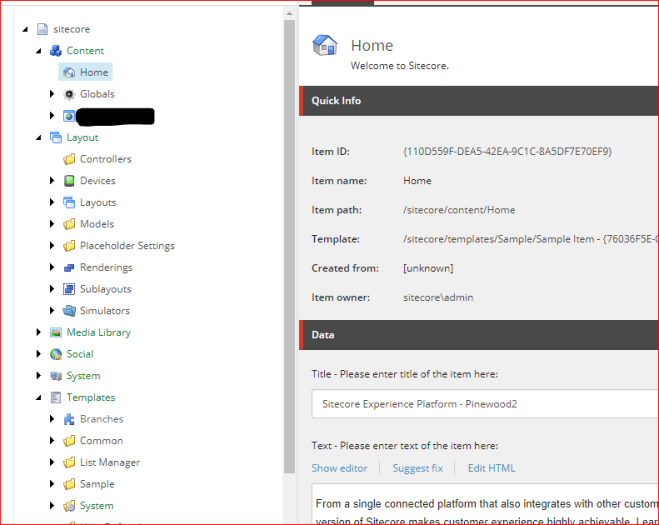
… but editors would typically prefer something a bit more visual, something a bit more WYSIWYG. That’s a large part of the value that Sitecore give – inline editing. It’s the point of a lot of content management systems.

That’s fine, and I’ve always found the Experience Editor fairly impressive in this regard – but what do you do about content that’s not visible in the page?

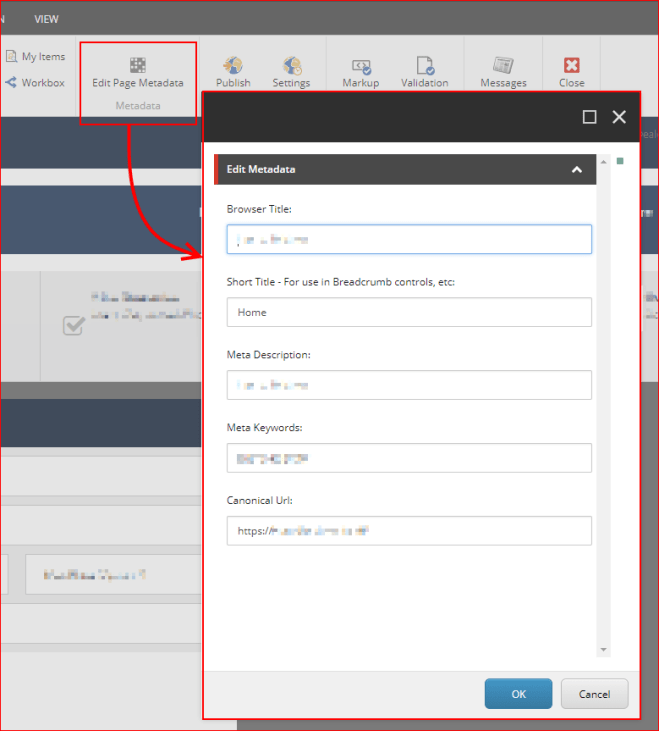
A good example is page metadata – so, canonical URLs, metadata tags, browser titles (for the browser tab), etc.. You might also have a ‘summary’ or ‘thumbnail’ to use in some form of content aggregation.

Well, in the SharePoint systems I used to work with, we’d use Edit Panels in the page – that is, areas of the page that would only be shown to editors, and that would let them set these bits of text. It worked pretty well, but it was a little… awkward.

How about if we presented a dialog instead?
Continue reading “Exposing Page Metadata in Experience Editor”

Exposing Page Metadata in Experience Editor

Glass Mapper Model too deep. Potential lazy loading loop exception in a Custom LinkProvider

Okay, so the context of the issue – I’ve been asked to do some custom URL mapping in Sitecore. The customer wants some of their pages to appear at URLs other than that defined by their site structure. There’s a good article about this here, and my URL resolver is working just fine.

However, as soon as I change my link provider to my new custom one, I get the following error:

Model too deep. Potential lazy loading loop.

Okay, what is this? Well, Glass is trying to save your bacon by preventing loops of loading models. If you exceed 8 levels of depth, then it throws a wobbly. This is a good thing. Continue reading “Glass Mapper Model too deep. Potential lazy loading loop exception in a Custom LinkProvider”

Glass Mapper Model too deep. Potential lazy loading loop exception in a Custom LinkProvider

Hooking into Sitecore’s Logging

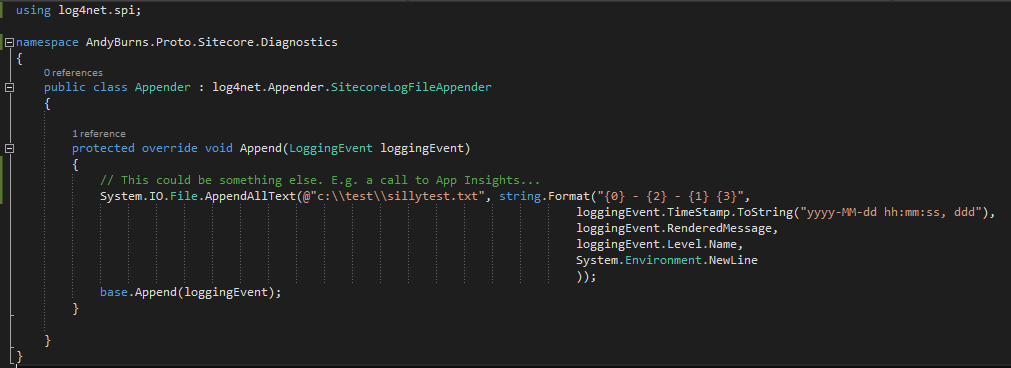
Sitecore uses Log4Net for it’s logging framework, so it comes with a whole slew of different ‘appenders’, suitable for logging to various repositories. That’s nice, but what if there’s a target you want to use that doesn’t exist?

Well, you can override the SitecoreLogFileAppender and write your own output:

What else could you do with this? Well, writing to App Insights seems like a good bet.

Hooking into Sitecore’s Logging

Reset your Sitecore Admin password to ‘b’ when using SHA512 hashing

Okay, this this relates to my recent post on password hashing in Sitecore, and why we should move away from SHA1. Let’s say you’ve decided to use SHA512 for a brand new instance like Sitecore recommend…

When you create a new website, you must change the weak default hash algorithm (SHA1) that is used to encrypt user passwords to a stronger algorithm.

To change the hash algorithm:

  • Open the web.config file and in the node, set the hashAlgorithmType setting to the appropriate value. We recommend SHA512.

Okay, funky, but how do I make the existing admin’s password work? Continue reading “Reset your Sitecore Admin password to ‘b’ when using SHA512 hashing”

Reset your Sitecore Admin password to ‘b’ when using SHA512 hashing

Sitecore Express Upgrade Tool 2.0 Issue

So, you’re doing an upgrade. You copy the live system, run through the upgrade, and test it, before repeating the ‘upgrade’ bit during content freeze with the latest data. So far, so normal; it’s a sensible way to check your system before the big update.

Picture this, if you will. You’ve done the upgrade with a snapshot of the data. It’s taken months. You tested, fixed, tested, fixed, and you’re happy to start the content freeze, run the express migration tool, and go live. So you run the Express Migration tool 2.0, and then try logging in as Admin to check it worked…

Continue reading “Sitecore Express Upgrade Tool 2.0 Issue”

Sitecore Express Upgrade Tool 2.0 Issue

NullReferenceException in Sitecore.ExperienceExplorer.Business.Pipelines .HttpRequest.EnableExperienceModePipeline.Process

Recently I was upgrading a site to Sitecore 8.2.1, and I received the following error:

Okay, WTF? There’s not a lot of information about this error, and I’d never seen it before. I ended up doing my usual trick – decompiling Sitecore to see what this method does. Here’s what I found…

…and the bit underlined in red set my “stupidity radar” screaming. This line is:

string database = SiteContext.GetSite(Settings.Preview.DefaultSite).SiteInfo.Database;

If GetSite() returns null, you’ll get a null reference exception, because they didn’t bother to check the returned variable before trying to use its ‘SiteInfo’ property.

It does offer a clue, though. Our upgraded system lacks a site called ‘website‘. That is, in our config, under the <sites> node, there is no <site ... > called ‘website‘. However, the DefaultSite setting in Sitecore.config still had its default value of ‘website‘.

We changed it to the name of our site, and this error was resolved.

NullReferenceException in Sitecore.ExperienceExplorer.Business.Pipelines .HttpRequest.EnableExperienceModePipeline.Process