Sitecore Identity Server Logging: Switch to Traces from Custom Events

Sitecore’s standard configuration contains some interesting choices, but this must be one of the daftest. Sitecore Identity Server can record telemetry into Application Insights. That’s quite nice. The problem is, by default, it does this as Custom Events. A lot of Custom Events. And the sorts of messages it’s sending are more like the lines of a log file – so more naturally, Traces. Here’s what you get by default – a list of Custom Events:
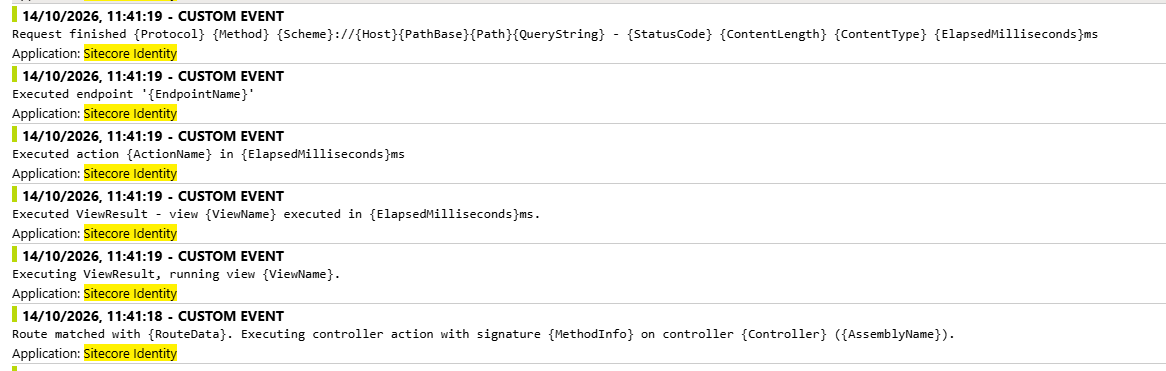
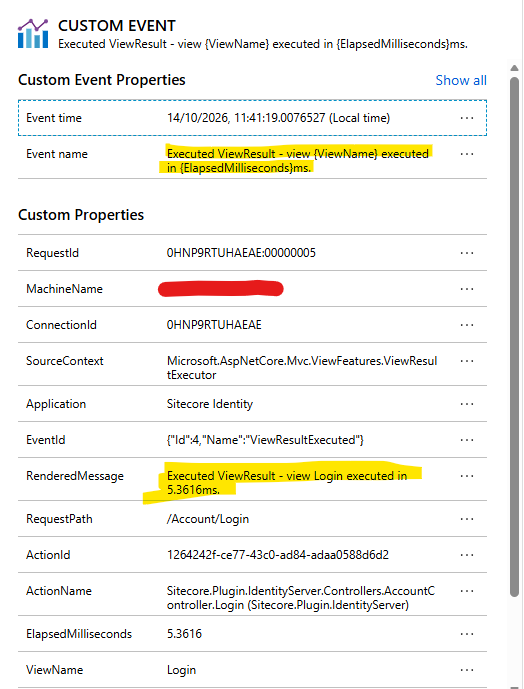
You’ll note that the displayed message for these events is just the message template, over and over again. This is sad, because somewhere in the code that’s recording them it is actually rendering the correct text… but they don’t use that for the Custom Event Name, so you just see the template, over and over.
So, how can we fix this?

Continue reading “Sitecore Identity Server Logging: Switch to Traces from Custom Events” →
Sitecore Identity Server Logging: Switch to Traces from Custom Events

Sitecore LastActivityDate is updated by the act of trying to view it.

Okay, to go with my LastLoginDate frustrations, I also noticed that when I opened up a User’s Information tab, it always showed the current date and time. Even when I know that user is not in use. E.g.:

This is a test user, and hasn’t been used in the last few days. So, what gives?

Continue reading “Sitecore LastActivityDate is updated by the act of trying to view it.” →
Sitecore LastActivityDate is updated by the act of trying to view it.

Sitecore LastLoginDate not updated when using OWIN Auth

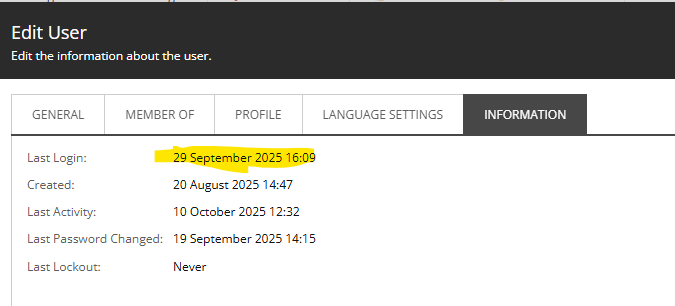
While demoing to a customer I noticed that the LastLoginDate for one of the test users I was using had an incorrect Last Login Date as shown in User Manager. E.g. This…

I knew this was wrong. But why? Well, for once I tried Copilot, and it returned the exciting news that the ‘Last Login’ does not update for user when logging in when using Owin.

Continue reading “Sitecore LastLoginDate not updated when using OWIN Auth” →
Sitecore LastLoginDate not updated when using OWIN Auth

Sitecore’s ID parsing is crazy

EDIT: I contacted Sitecore support about this one, and it turns out that it is fixed in Sitecore 10.4. (Number 91923 on https://developers.sitecore.com/downloads/Sitecore_Experience_Platform/104/Sitecore_Experience_Platform_104/Release_Notes). I missed that. Of course, there are still a lot of pre-10.4 instances out there, but over time this should cease being an issue)

Sitecore IDs – They’re just Guids, right? I mean, they look like a guid, their string representation is that of a Guid – so they must be Guids, right? Nope! It seems not. Get a load of this:

So here I’m trying to parse a SearchResult “topic”. It’s name is a Guid as a string, in “N” format.

  • Guid.Parse() gives you a Guid. Fine.
  • ID.Parse() gives you an ID. Fine.
  • ID.TryParse() returns false. Apparently it’s not an ID.

What the hell is going on?

Continue reading “Sitecore’s ID parsing is crazy” →
Sitecore’s ID parsing is crazy

Why Sitecore is so slow at first request…

I’ve noticed that Helix projects – while offering a lot – do seem to be slow to respond to the first request. Painfully slow. Like “Application Initialization is required” slow. I knew that this was due to view compilation at runtime (something that could be handled by compiling your views at, you know, compile time) – but I’d always wondered why it was so slow.

Well, I think I’ve found the answer – Hundreds of renderings? Your first-page-load could be sloooow by Chris Perks.

Continue reading “Why Sitecore is so slow at first request…” →
Why Sitecore is so slow at first request…

Understanding Sitecore’s Cache-Control for Media Items

So, one of my colleagues contacted me with a simple question – why was Azure Front Door not caching his pages and images. Well, I think there were two different reasons; one for pages (discussed there) and one for images (discussed here).

This is a bit simpler than the problem with pages, but highlights that, if you’ve a problem and you dig through the <settings> section of Sitecore’s config, you’ll eventually come across some kind of setting that relates to your problem.

Continue reading “Understanding Sitecore’s Cache-Control for Media Items” →
Understanding Sitecore’s Cache-Control for Media Items

Spurious Pragma Header in Sitecore Page Responses

So, one of my colleagues contacted me with a simple question – why was Azure Front Door not caching his pages and images. Well, I think there were two different reasons; one for pages (discussed here) and one for images (discussed there).

The short answer for pages was “Because the setting DisableBrowserCaching was set to true”. This appears to be a default for Sitecore (and is probably appropriate for Analytics and tracking reasons – though not all of our customers use analytics). I mean, the setting in ShowConfig.aspx is pretty well described.

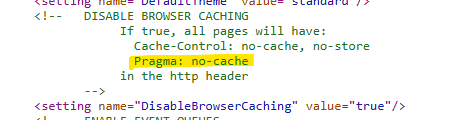
But wait… what’s this mention of Pragma: no-cache?

Continue reading “Spurious Pragma Header in Sitecore Page Responses” →
Spurious Pragma Header in Sitecore Page Responses

Using Kusto to get a full time series

Kusto is great, but one problem is that, if you’re summarizing and creating a time chart, and some of those time bins don’t have any results, then rather than your graph’s line going to zero, it skips those times. This results in a weird graph. Consider this:

This graph never goes to zero – because the groups don’t exist if their value is zero. It can also lead to weird lines that “skip” to the next value. Eg. the peak at 0000h on Apr 4 – it’s joined to a point at about 0145h. The intermediate points are skipped.

This can be fixed.

Continue reading “Using Kusto to get a full time series” →
Using Kusto to get a full time series