Secure your ASP.NET Viewstate

This is just a short reminder for myself – when configuring ASP.NET websites, don’t forget to Secure the viewstate. If you don’t, then the ViewState is just base64 encoded – and can be decoded.

Securing this involves:

  • Setting a machine key in the web.config. In a load balanced environment, this machine key should be the same on all front-end servers; it’s used in encryption and decryption of the viewstate, and so has to be the same on all webservers. If it is not, and a user’s session skips to another server, then decryption of the viewstate will fail.
  • Make sure the the validation algorithm is set to ‘AES’
  • Make sure that the ‘decryption’ algorithm is set to auto.

That seems to be it. I did see instructions that said that I should:

  • On the <pages> node, add the attribute viewStateEncryptionMode=”Always”

but I didn’t seem to have to do this. Actually, in the end I did have to set this too.

Edit: How to generate your machineKey easily


Secure your ASP.NET Viewstate

Lock down your HTTP Verbs

Something that has come up in some of our testing recently is that some of our websites have HTTP verbs allowed that probably should be blocked – and with IIS they can be.

To recap, we’re use to the idea of GET or POST requests, but there are a lot more… Continue reading “Lock down your HTTP Verbs”

Lock down your HTTP Verbs

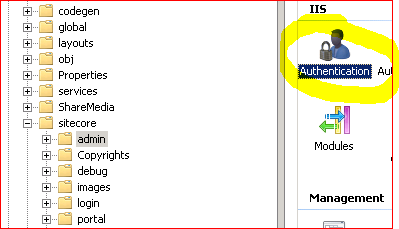
Lockdown Sitecore Administration

The Sitecore security hardening guide 6.0 (or version 7.5 here) describes:

You should prevent anonymous users from accessing the following folders:

  • /App_Config
  • /sitecore/admin
  • /sitecore/debug
  • /sitecore/shell/WebService

And then goes on to describe removing anonymous access to those areas in IIS.

Authentication Settings

The version 7.5 document goes on to say… Continue reading “Lockdown Sitecore Administration”

Lockdown Sitecore Administration

Configuring a Content-Security-Policy

I’ve talked about how to how to remove HTTP Headers that you don’t need from IIS – but there are some that you probably will want. This particular post is about the Content Security Policy (CSP).

I’m not going to describe what one is. @Scott_Helme has already described what a Content Security Policy is far better than I can. Rather, I’m going to describe how to figure out what your policy should be… Continue reading “Configuring a Content-Security-Policy”

Configuring a Content-Security-Policy

Removing Chatty IIS Headers

IIS is, by default, a bit too damn chatty, which isn’t what you want if you’re trying to harden your server:

Capture

You can check this with a site like SecurityHeaders.io, which will review all your HTTP Headers for you. It’s very good, I recommend it.

Why would I need to tell the world what ASP version, webserver, etc. that I’m using? Isn’t this just helping potential attackers? Well, yes. How do you remove these headers, though? Continue reading “Removing Chatty IIS Headers”

Removing Chatty IIS Headers

Configuring SSL/TLs made easy

I’ll admit, I find the configuration of SSL and TLS something of a mystery – I like to leave that stuff to the admin guys and get on with the coding. It’s something of a black art, and there seem to be so many obscurely named vulnerabilities that it’s a bit difficult to handle without being a specialist. (Heartbleed? Bar Mitzvah? Lucky 13? Poodle? I mean, seriously, POODLE?)

However, I was recently given a PowerShell script and told to ‘fix these servers’ – and it was very easy. Continue reading “Configuring SSL/TLs made easy”

Configuring SSL/TLs made easy

RSA SecurID and SharePoint

I’d an interesting question from a customer the other day – they wanted Forms Authentication on extranet access to SharePoint, but using two factor authentication. The product mentioned was RSA SecurID, and this means that to authenticate yourself you need:

  • Your Username
  • A hardware device that shows a pseudo-randomly generated PIN number which changes every minute or so.

‘Cos the PIN is a pseudo-random sequence, if the token and a server are in sync, you can validate that someone has read that token inside the last minute. It’s an expensive technology – but neat!

The idea is the same as, say, a credit card. More than just saying who I am and that I have some piece of knowledge (e.g. my PIN number), I also have to have a physical object which is hard to duplicate (my credit card). This should make my identity more certain.

Anyway, how does this fit with SharePoint? Continue reading “RSA SecurID and SharePoint”

RSA SecurID and SharePoint

When will a page run inline code in SharePoint?

Previously, I’ve detailed my attempts to show a query string parameter in a page. This should be a simple enough to do as inline code, but as my previous attempts recorded, when I tried:

<%= Request.QueryString.ToString() %>

I got the error “code blocks are not allowed in this file”. This makes sense, as otherwise anyone with SharePoint Designer could put arbitrary code into a page and get it to run. Clearly, as this would let business users enter code, this would not be very secure.

Now, you can turn off this security restriction using Page Parser Paths, but this reduces the security of the system – again, anyone with SharePoint Designer could put code in without review/authorisation. Again, less than ideal.

Well, one of the things I learnt last week was that uncustomised pages (or ‘ghosted pages‘ for the oldies) will run inline code. Fantastic! After all, we’re going to want to package up our code for deployment from Development to Testing and Production systems, right? (Well, you should be, dammit!)

For those of you who don’t know, uncustomised pages are ones that are stored on the server’s hard drive, rather than in the database. To get onto the hard drive, someone has to install them, which means that someone has to review and approve the code. With SharePoint designer, this isn’t the case, and SharePoint Designer can only create pages that are Customized (or Ghosted), and so exist only in the database.

So overall, the process would probably become:

  1. On a development system use PageParserPaths to enable inline code. As this is a dev system, security is less of an issue, and business users won’t be making changes.
  2. Develop your pages that use inline code. You can do this in SharePoint Designer.
  3. When the pages are complete, copy them out and package into a feature. Make sure that your page that you’ve written in installed Ghosted – still the terminology they use in features.
  4. Install and activate the feature. As your page is now uncustomised (or ‘ghosted’), it will now run inline code without PageParserPaths being configured.

That’s a pretty tidy developer story!
When will a page run inline code in SharePoint?