Programmatically reset a a Sitecore Item’s presentation details

Just a quick post – should you need to reset an item back to using the controls defined on its template’s standard values, you can easily achieve this through code:

using (new Sitecore.SecurityModel.SecurityDisabler())
{
using (new Sitecore.Data.Items.EditContext(item))
{
item.Fields["__renderings"].Reset();
}
}

I’ve tried it, and it worked.

Programmatically reset a a Sitecore Item’s presentation details

Sitecore – Switching Indexes on Rebuild

The project I’m working on makes fairly extensive use of Sitecore’s search functionality, and I realised that one problem I could foresee was that of Index updates. When rebuilding the search index, by default Sitecore deletes the existing index, and then builds a new one. While this is going on, search is not available. That’s not really acceptable… Continue reading “Sitecore – Switching Indexes on Rebuild”

Sitecore – Switching Indexes on Rebuild

Sitecore – Have your Patch files apply last

Just a quick tip; I am using Patch files to update some of the settings of my Sitecore instance. Some of these settings are also patched by the standard Sitecore config files. How do I make sure that they apply last?

Well, it turns out they’re processed in alphabetical order. That’s fine, I can prefix files with ‘z’. But there’s an even better tip – subfolders are applied later. So I’ve added a folder called ‘custom’ and it is applied after all the default patch files.

Example Visual Studio Structure

I found this here: http://www.partechit.nl/en/blog/2014/03/sitecore-and-the-last-include

Sitecore – Have your Patch files apply last

Example Sitecore Robots.txt

Just a note of example robots.txt file that I’m using in Sitecore:

User-agent: *
Disallow: /sitecore
Disallow: /Sitecore
Disallow: /sitecore_files/
Disallow: /sitecore modules/
Disallow: /App_Browsers/
Disallow: /App_config/
Disallow: /App_Data/
Disallow: /temp/
Disallow: /upload/
Disallow: /xsl/
Sitemap: http://www.example.com/sitemap.xml

Also, don’t forget to set up your Sitecore.Analytics.ExcludeRobots.config

Example Sitecore Robots.txt

Web Forms For Marketers blows up if Analytics disabled

This one was a real Sherlock Holmes case. The site I’ve been working on has Azure App Insights monitoring it, and on the live site we started to see lots of exceptions that hadn’t appeared in testing.

Exceptions

Digging into the exceptions, I noticed that:

  • The exception was System.Web.HttpUnhandledException with an inner System.NullReferenceException
  • The method throwing the exception was Sitecore.Form.Core.Ascx.Controls.SimpleForm.OnAddInitOnClient, which is part of the Web Forms for Marketers suite.
  • The user agent was always Mozilla/5.0 (compatible; Googlebot/2.1; +http://www.google.com/bot.html) – so it was Googlebot making the request. There’s no reason that should cause an exception though!

I realised after a while that Googlebot is a robot, and so is excluded from analytics, so this problem probably had the same cause as the exceptions our testing was starting to throw up. The OnAddInitOnClient method isn’t one of mine, though – it’s part of Sitecore’s Web forms for Marketers – so I opened up Reflector and down the rabbit hole I went… Continue reading “Web Forms For Marketers blows up if Analytics disabled”

Web Forms For Marketers blows up if Analytics disabled

Take care with Sitecore.Analytics.ExcludeRobots.config and fixed IP addresses

Right, so this is a lesson of “It’s obvious when you think about it”.

The new company that I work for have had a policy of adding the IP addresses of their gateways to the Sitecore.Analytics.ExcludeRobots.config file. The idea behind this is that we don’t want to pollute customer’s analytics data with traffic from ourselves, particularly if we are running health monitoring service that occasionally polls their website. That all seems sensible enough.

Here’s the problem – our tester was trying to test some of the pages we’d built on a live site. There was a problem with that – more in a later post – but the upshot was that it appeared that on two identical devices (iPhones) one would work, and the other would receive the yellow screen of death. A straw poll of iPhones in the office showed 3 working, and 3 failures. Curious… Continue reading “Take care with Sitecore.Analytics.ExcludeRobots.config and fixed IP addresses”

Take care with Sitecore.Analytics.ExcludeRobots.config and fixed IP addresses

Configure Sitecore to update Sitemaps.xml on ALL servers

In a robust web-based system one would expect to have multiple servers serving content. In Sitecore, this is typically that you have a content management server, and then one or more content delivery servers.

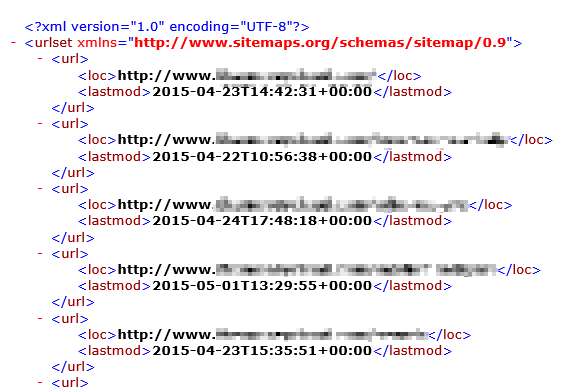
Sitecore also offers a ‘Sitemap XML module’, which is pretty neat. When you publish content it will generate an updated Sitemap.xml file – basically, a listing of pages that a web-crawler like Googlebot can use to crawl and index a site. It can also ping the major search engines, telling them that the sitemap has been updated, and that they should recrawl it at their leisure.

SiteMap

However, things get trickier where you have content delivery servers. Continue reading “Configure Sitecore to update Sitemaps.xml on ALL servers”

Configure Sitecore to update Sitemaps.xml on ALL servers