Disable Output Escaping in XSL

Really, just a reminder for myself, but if you work with SharePoint long enough you’re bound to end up using something like the Content Query Web Part or a Data View Web Part to aggregate and output a rich text source – but all your HTML gets escaped, so it appears content on the page.

The command you want is DisableOutputEscaping:

<xsl:value-of select="somevalue" disable-output-escaping="yes" />

This will cause the HTML to be output unescaped – i.e. as HTML.

Side note: Sometimes people want things like the CQWP to show the first part of the content as a ‘summary’. This trucating content to display in the CQWP or DVWP is difficult; either a) you risk having unfinished tags in the HTML you do emit, or b) you have to strip out all HTML, which can ruin your formatting. a) is a particular problem, as unfinished <table> tags can cause all sorts of weirdness on page.

My preferred option is to have a additional ‘summary text’ box that accepts plain text, and have the author generate the summary manually. That way we avoid outputting HTML like that entirely.

Disable Output Escaping in XSL

HideCustomAction doesn't work with the EditControlBlock

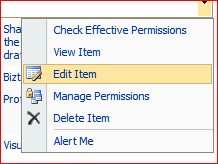
So, this is a new fact about SharePoint for me – HideCustomAction Feature element doesn’t work with the EditControlBlock. Normally, you add links to menus, toolbars, etc., using a CustomAction, and hide them using ‘HideCustomAction’. Works a treat in most of the interface.

However, with the Edit Control Block (ECB) Hide custom action doesn’t work. It looks like ‘cos the menu is rendered by JavaScript, you can’t hide them. Liam Cleary posted a good article about it for SharePoint 2007, and I suspect this will be the same in 2010. It means you’re likely to have to use JavaScript to remove things off the menu :/

Don’t know how I managed to avoid this problem for 4 years!

HideCustomAction doesn't work with the EditControlBlock

Converting Enumerations

I love Enums – but I always have to look up how to convert them to one thing or another – so a reminder for myself:

Here’s my enumeration:

    public enum MyEnum
    {
        Alpha,
        Beta,
        Gamma
    }  

And the conversions (each enumeration item has a value (e.g. 1) and a string (e.g. “Beta”):

MyEnum someEnum = MyEnum.Beta;

//Convert to String
string someEnumString = someEnum.ToString();

//Convert to MyEnum again
MyEnum someEnum2 = (MyEnum)Enum.Parse(typeof(MyEnum), someEnumString);

//Convert to int value
int someEnumInt = (int)someEnum;

//Convert int to My Enum again
MyEnum someEnum3 = (MyEnum)someEnumInt;
Converting Enumerations

List Type Icons for Custom List Definitions

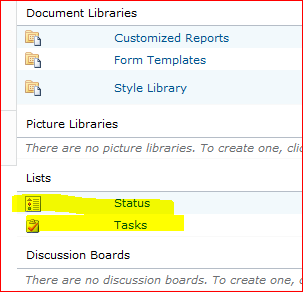
In SharePoint, different types of list can have different icons:

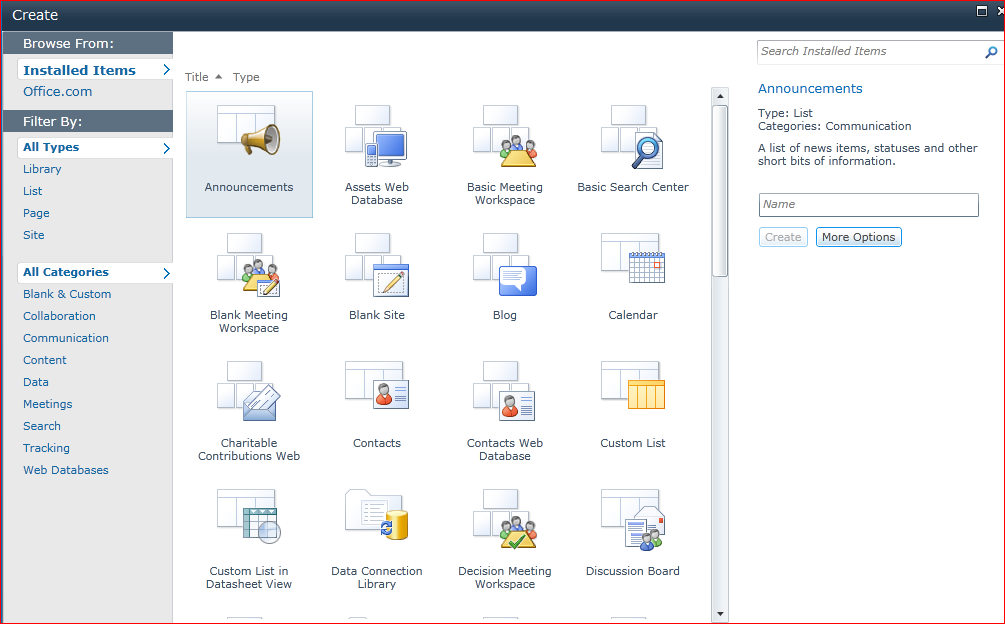
That’s fine, but SharePoint 2010 adds a second icon – one that’s used in the Silverlight control for creating new Sites/Lists:

I wanted to specify that for a list definition I was upgrading from a 2007 version. But there doesn’t seem to be a property to set the name/url for this file.

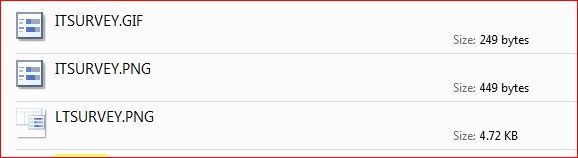
In SharePoint 2007 the icons were usually .GIF files. In SharePoint 2010, those still seem to be in the IMAGES folder in 14-Hive, but there are .PNGs of the same images too. There are also the larger PNGs used by the SilverLight control. The small sized ones all seem to be called ‘ITxxx.PNG’, and the larger ‘LTxxx.PNG’:

So, I tried changing the Image property of my list definition to use a file with a .png extension (e.g. ITandy.png )

I converted my GIF to PNG format, and I created a 64×64 pixel PNG for the SilverLight control. I called this new PNG file LTandy.png – and low, the SilverLight control picked it up. It seems that the Silverlight dialog replaces the IT at the start of the image file name with an LT when looking for an icon – but only for lists where the smaller icon also has the .png extention.

Therefore, I’d recommend always using PNGs for icons in SharePoint now.

List Type Icons for Custom List Definitions

Outlook Plugin – Finding the ImageMSO for the ribbon

Ages ago, I wrote an Outlook plugin for saving emails (.msg files) from Outlook 2003 to SharePoint 2007. Well, the time had come to upgrade that to Outlook 2010. Broadly speaking, that went well, with one exception – what icon to show in the ribbon?

I didn’t want to go through the pain of designing my own icon (in its various different sizes), so I decided to highjack one of the office ones. The customer I was dealing with wanted the ‘Filing cabinet’ icon of the ‘Auto Archive Settings’ button.

AutoArchive settings on the ribbon

Fine, no problem, it’s built in – in it’s various sizes and resolutions. Except – what is its ID? Continue reading “Outlook Plugin – Finding the ImageMSO for the ribbon”

Outlook Plugin – Finding the ImageMSO for the ribbon

SharePoint 2010 Theme colours

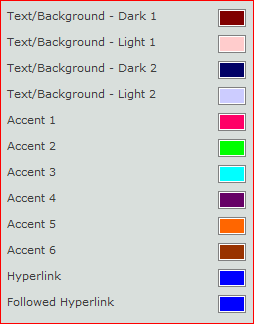
Themes in SharePoint 2010 are so much better than 2007 – and so much easier to generate! You can either create them with a .thmx file from PowerPoint, or just set them up through the user interface.

One problem, though, is what areas of the page are controlled by these colours? Well, I’d been going to set up an experiment to find out, but fortunately Erik Swenson had already taken the time to map this out. So, rather than reinvent the wheel, I’ll just use that – it’s well worth a read.

SharePoint 2010 Theme colours

SharePoint 2010 Certifications

A bit of a glory post, but I’m now SharePoint 2010 Certified:

Regarding the certifications, I was, to be honest, a little disappointed. I felt that the 2010 exams were actually easier than the 2007 ones. I suspect that this is due to the significant expansion of ways of developing with SharePoint 2010; the exams did feel like they were ‘shallow but wide’ rather than ‘focused but deep’. Certainly it seems like a big jump from this to Certified Master.

I do like the new two tier certification structure (Technical Specialist, then Professional developer), and the streaming into Admin/configuration and Development makes sense too. I just wonder if there needs to be further breakdown in these aspects, perhaps so a greater depth of knowledge can be tested.

Still, I’m offically not a total muppet.

SharePoint 2010 Certifications

Icons for SharePoint 2010's ribbon

Came across something interesting today – I went looking for an icon in SharePoint 2010’s ribbon, and came to a file called formatmap32x32.png. Interestingly, it contains:

So, it actually holds lots of icons, but the image is cropped using CSS at display time to only show one of those icons. Nice to be able to see a bunch of the icons in one place easily.

(Though not all buttons come from this file – other icons are ‘stand alone’)

Icons for SharePoint 2010's ribbon