Sitecore’s standard configuration contains some interesting choices, but this must be one of the daftest. Sitecore Identity Server can record telemetry into Application Insights. That’s quite nice. The problem is, by default, it does this as Custom Events. A lot of Custom Events. And the sorts of messages it’s sending are more like the lines of a log file – so more naturally, Traces. Here’s what you get by default – a list of Custom Events:
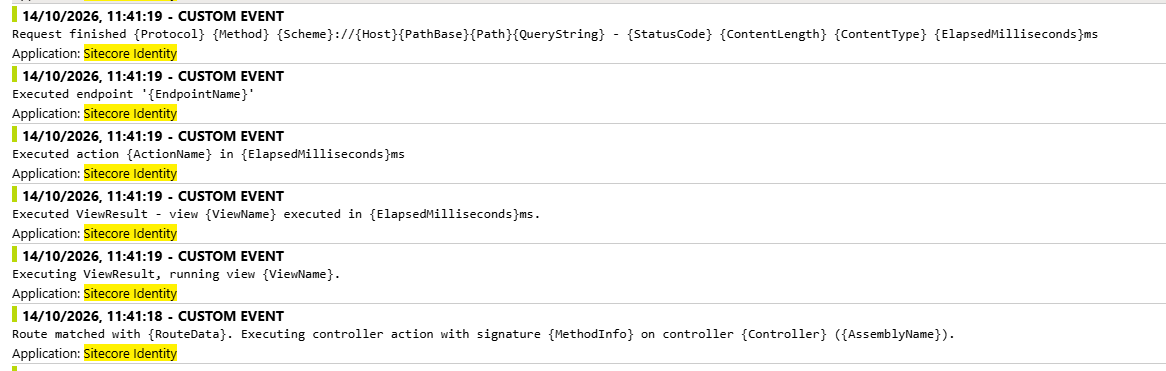
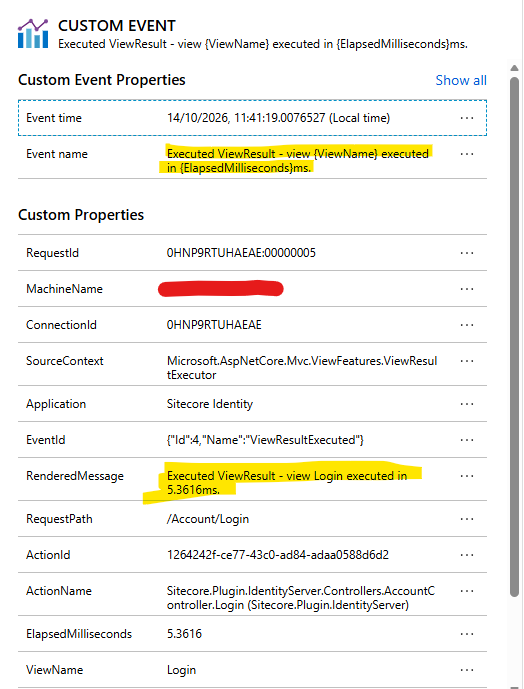
You’ll note that the displayed message for these events is just the message template, over and over again. This is sad, because somewhere in the code that’s recording them it is actually rendering the correct text… but they don’t use that for the Custom Event Name, so you just see the template, over and over.
So, how can we fix this?
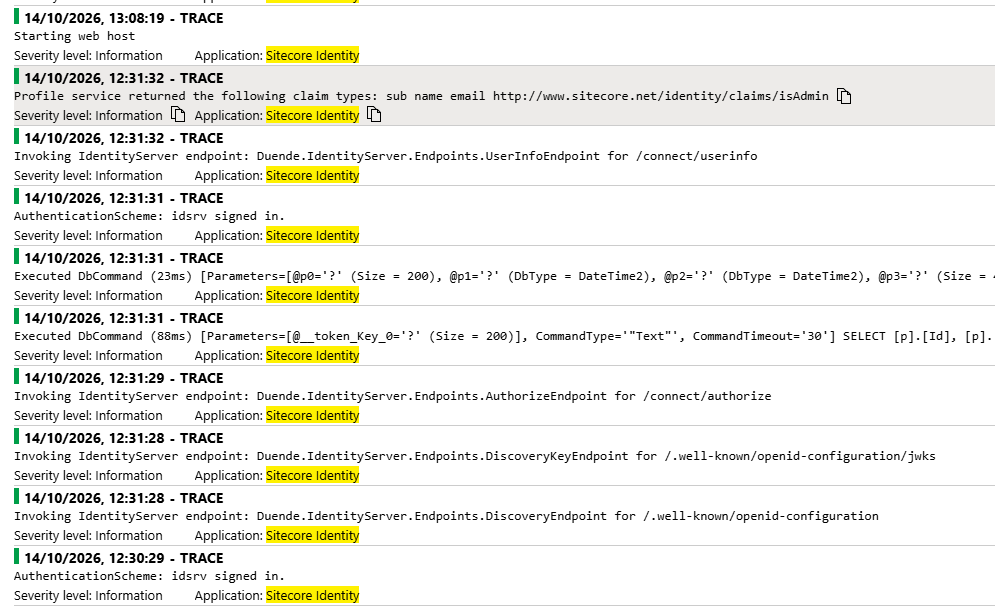
Well… it turns out that Sitecore does actually contain the code to record telemetry as Traces. And better yet, the Traces use the rendered message, and they record a Severity Level, so filtering gets easier too:
Nice. How do we achieve this? Well, in Sitecorehost.xml on the identity server there is your logging configuration. Simply change:
<ConfigureLogging>Sitecore.Framework.Logging.Serilog.ApplicationInsights.ConfigureSitecoreLoggingEvents, Sitecore.Framework.Logging.Serilog.ApplicationInsights</ConfigureLogging>
To:
<ConfigureLogging>Sitecore.Framework.Logging.Serilog.ApplicationInsights.ConfigureSitecoreLoggingTraces, Sitecore.Framework.Logging.Serilog.ApplicationInsights</ConfigureLogging>
Yes, 5 letters changed is all it needs:

You can also add filtering here to try to cut the noise from Identity server too:
<MinimumLevel> <Default>Information</Default> <Override> <!-- Framework Information logs (Request starting/finished, Executing/Executed endpoint, Route matched, Executing/Executed action and ViewResult) duplicate the Application Insights requests table. Warnings and errors from the framework are still logged. --> <Microsoft.AspNetCore>Warning</Microsoft.AspNetCore> <!-- Keep sign-in, sign-out, challenge and forbid events, which are low volume and useful for an identity server. --> <Microsoft.AspNetCore.Authentication>Information</Microsoft.AspNetCore.Authentication> <Microsoft.AspNetCore.Localization.RequestLocalizationMiddleware>Error</Microsoft.AspNetCore.Localization.RequestLocalizationMiddleware> <!-- Entity Framework Core logs "Executed DbCommand (...)" at Information for every SQL command. Failed commands are still logged. --> <Microsoft.EntityFrameworkCore.Database.Command>Warning</Microsoft.EntityFrameworkCore.Database.Command> <!-- Duende logs "Invoking IdentityServer endpoint: ... for /connect/..." at Information for every endpoint request. This duplicates the Application Insights requests table. Warnings and errors are still logged. --> <Duende.IdentityServer.Hosting.IdentityServerMiddleware>Warning</Duende.IdentityServer.Hosting.IdentityServerMiddleware> </Override></MinimumLevel>
So… why did they ever use Custom Events? Well, the best I can figure is that who ever was writing this wanted to record actual events – like “X logged in” or “Login failed for Y”. That’s fair enough – but most messages aren’t really big distinct events like that. I think Traces are a much more natural fit and, due to Sitecore’s implementation, they work much better too.

