So, one of my colleagues contacted me with a simple question – why was Azure Front Door not caching his pages and images. Well, I think there were two different reasons; one for pages (discussed there) and one for images (discussed here).
This is a bit simpler than the problem with pages, but highlights that, if you’ve a problem and you dig through the <settings> section of Sitecore’s config, you’ll eventually come across some kind of setting that relates to your problem.
Basically, it seems that by default, Media items in Sitecore are sent with a cache-control header of private, max-age=604800.

In other words, the response should be cached on the user’s browser for 7 days, but intermediate caches – such as Front Door – should not cache it. I guess this is because the media might be user-specific? Maybe? Anyway, Private explicitly tells Front Door “don’t cache this”.
So, it’s not a shock that it doesn’t. But what sets this? Well, in the Sitecore settings we have MediaResponse.Cacheability and MediaResponse.MaxAge settings:
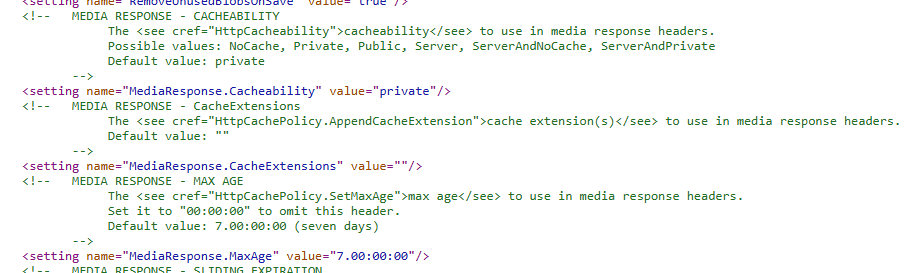
If we set MediaResponse.Cacheability to public, then Front Door should start caching the media.
 Andy Burns' Blog